


คู่มือการใช้งาน
1.1.1.1 with WARP ช่วยเพิ่มความเร็วในการท่องเน็ต ปลอดภัยและมีความเป็นส่วนตัว
1.1.1.1 WARP คือบริการที่จะเปลี่ยน DNS ให้ไปใช้ของทาง CloudFlare โดยปกติแล้วเวลาเราใช้บริการอินเทอร์เน็ต ผู้ให้บริการทุกรายจะมีระบบ DNS ซึ่งเปรียบเสมือนสมุดโทรศัพท์ที่ไว้ระบุว่า URL นี้ เช่น www.google.co.th ตรงกับ IP Server ไหน และทำไมเราต้องมี 1.1.1.1 และ CloudFlare คือใครทำไมต้องมาทำ
1.1.1.1 WARP is a service that changes DNS to use CloudFlare’s. Normally, when we use internet services, every provider has a DNS system, which is like a phone book that specifies which URL corresponds to which IP server. And why do we need 1.1.1.1 and who is CloudFlare, why do we have to use it?
CloudFlare คือผู้ให้บริการที่มีชื่อเสียงในด้านระบบ CDN (สร้างเครือข่ายกระจายตัวในหลาย ๆ พื้นที่) ป้องกันเว็บไซต์หลาย ๆ เว็บทั่วโลกจากการโดน DDos มานาน ซึ่งได้รับ Feedback มาว่า DNS ที่มากับผู้ให้บริการอินเทอร์เน็ต รวมถึงของผู้ให้บริการทางเลือกรายอื่น ๆ จะสามารถเก็บพฤติกรรมของผู้ใช้ได้ว่า เข้าเว็บไหนอะไรบ้าง ซึ่งอาจมีการนำข้อมูลส่วนนี้ไปขายหรือทำเพื่อผลประโยชน์อื่นใด ดังนั้น CloudFlare จึงดำเนินโครงการ 1.1.1.1 WARP โดยมีความน่าเชื่อมั่นได้ทั้งความปลอดภัย การไม่แอบเก็บพฤติกรรมการใช้งานของผู้ใช้ มาให้ได้ใช้งานกัน
CloudFlare is a renowned provider in the CDN (Content Delivery Network) system, which creates distributed networks in various locations. It has long been protecting many websites worldwide from DDoS attacks. There has been feedback indicating that DNS provided by internet service providers, as well as those of other alternative providers, could collect user behavior data, such as which websites users visit. This data could potentially be sold or used for other purposes. Therefore, CloudFlare has initiated the 1.1.1.1 WARP project, which offers both security and confidence by not surreptitiously collecting user behavior data, allowing users to utilize it with trust.
ตามที่ทาง Cloudflare ได้ระบุว่า “Privacy First: Guaranteed. We will never sell your data or use it to target ads. Period.”
According to Cloudflare, they have stated, “Privacy First: Guaranteed. We will never sell your data or use it to target ads. Period.”
วิธีการใช้งาน / How to use
ขั้นตอนที่ 1 : ไปยังเว็บไซต์ https://one.one.one.one/ เพื่อทำการดาวน์โหลดโปรแกรม
Step 1: Go to the website https://one.one.one.one/ to download the program.
ขั้นตอนที่ 2 : ทำการเลือกอุปกรณ์ที่ต้องการติดตั้ง
Step 2: Select the device you want to install.
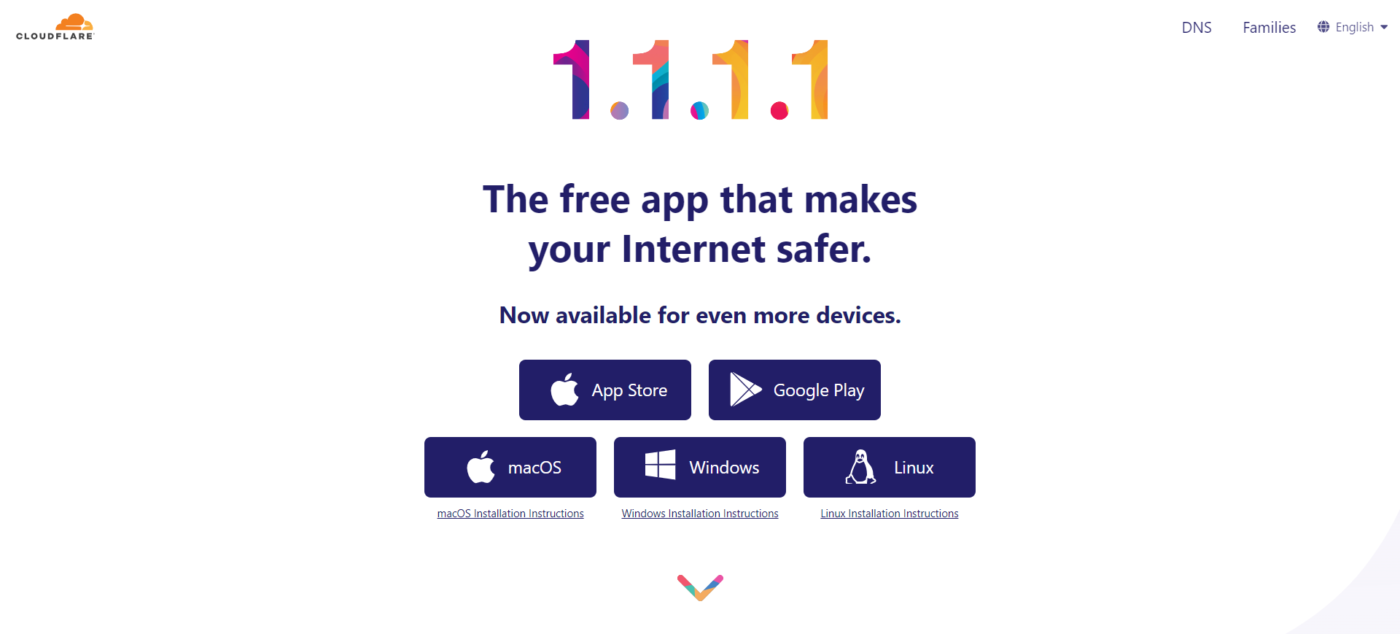
ขั้นตอนที่ 3 : เมื่อทำการเลือกอุปกรณ์แล้ว จะเป็นการดาวน์โหลดโปรแกรม
Step 3: Once you have selected your device, the program will begin downloading.
ตัวอย่างการติดตั้งบน Window / Example of installation on Windows

- ทำการกด ไปยังโปรแกรมที่ดาวน์โหลดเรียบร้อย เพื่อเริ่มติดตั้งโปรแกรม / Press on the downloaded program to start installing it.
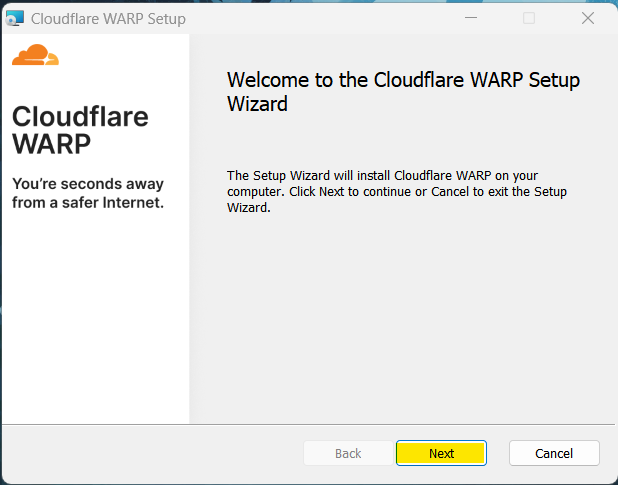
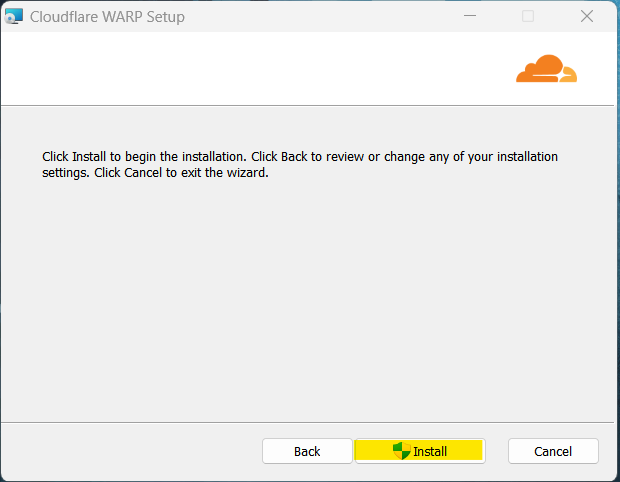
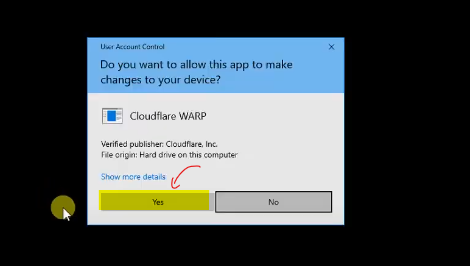
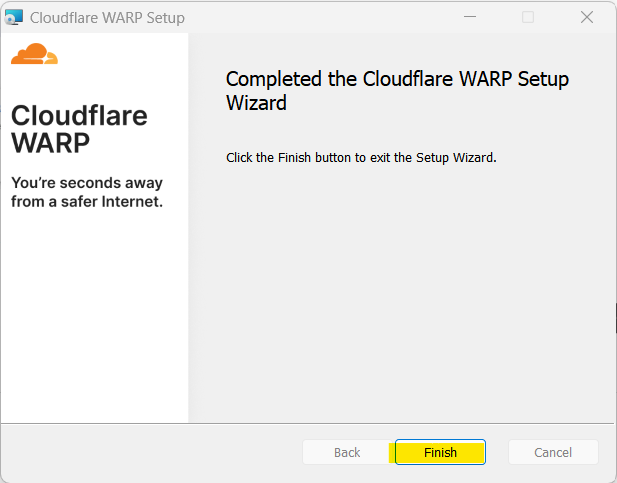
2. เมื่อทำการติดตั้งเรียบร้อย ให้ทำการกดไปยัง Icon ของ Cloudflare / Once the installation is complete, click on the Cloudflare icon.
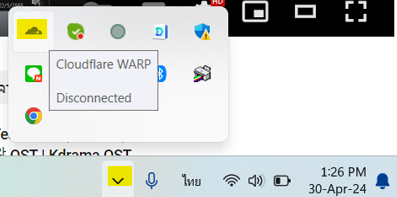
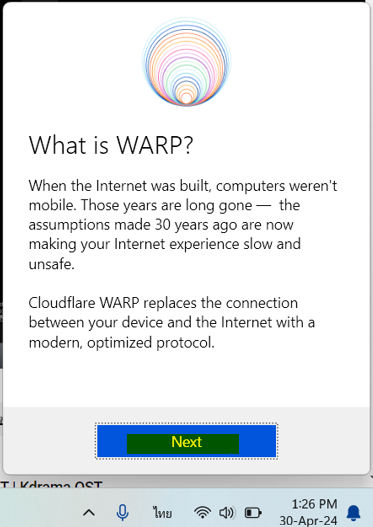
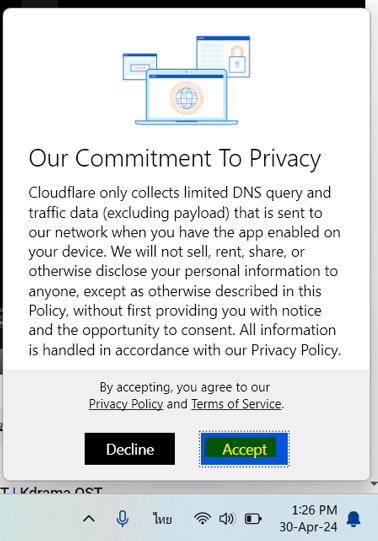
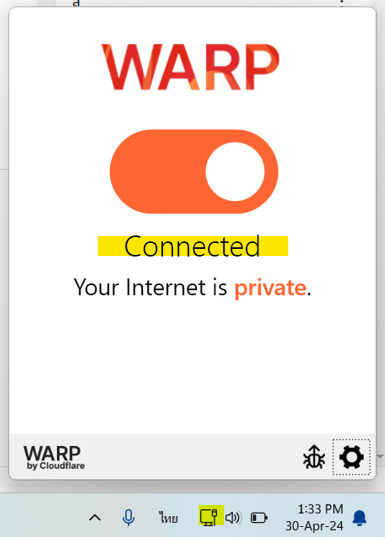
3. ทำการกดเปิด เพื่อเริ่มใช้งาน เมื่อสถานะเป็น Connected แล้ว สามารถใช้งานได้เลย จุดสังเกต Icon Wifi จะเปลี่ยนไป / Press “Open” to start using it. Once the status shows “Connected,” you can start using it right away. Note that the Wi-Fi icon will change accordingly.
ตัวอย่างการติดตั้งบน มือถือ , iPad / Example of installation on Mobile, iPad
- ทำการดาวน์โหลดแอพ 1.1.1.1: Faster Internet / Download app 1.1.1.1: Faster Internet
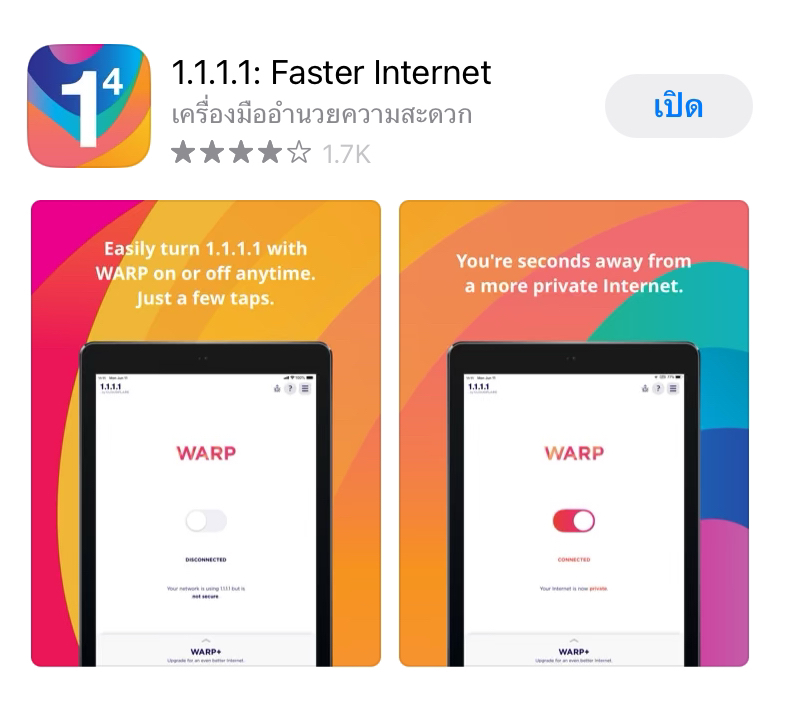
2. ทำการกดเปิดแอพ และ ดำเนินการตามขั้นตอน / Open the app and follow the steps accordingly.
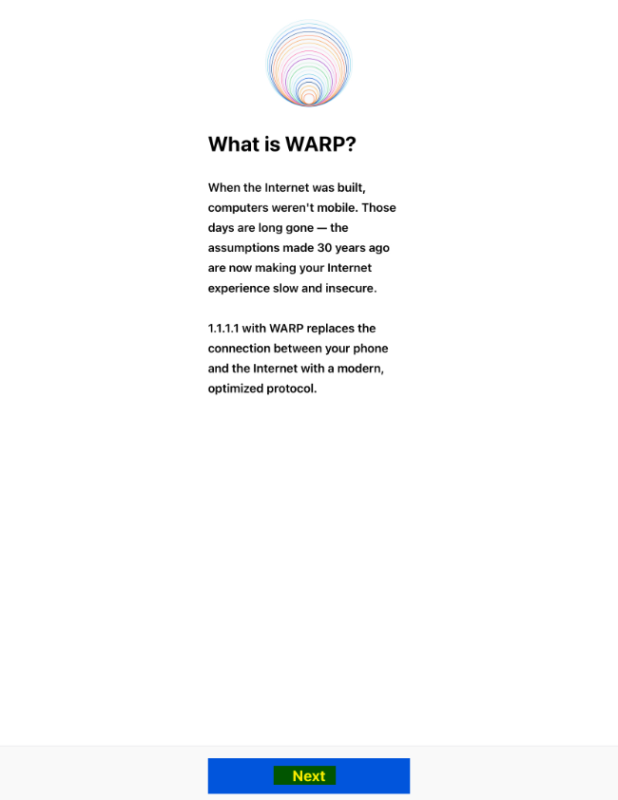
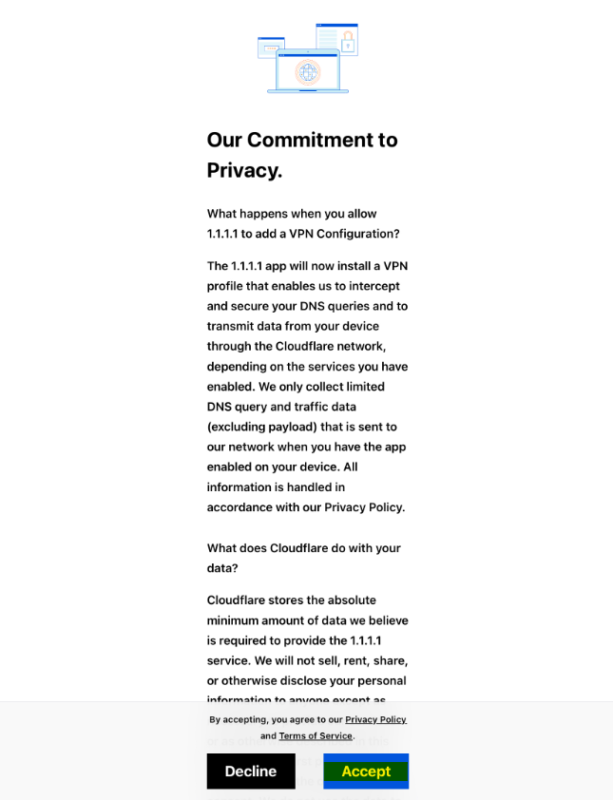
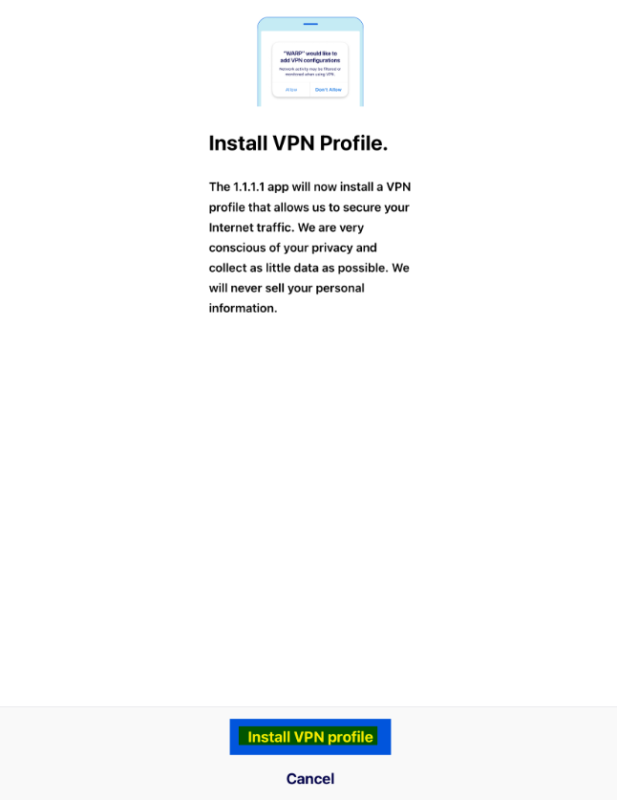
3. ทำการกดเปิด เพื่อเริ่มใช้งาน เมื่อสถานะเป็น Connected แล้ว สามารถใช้งานได้เลย จุดสังเกตจะมี Icon VPN อยู่ข้างๆ Icon Wifi / Press “Open” to begin using it. Once the status shows “Connected,” you can start using it immediately. You’ll notice an VPN icon beside the Wi-Fi icon.
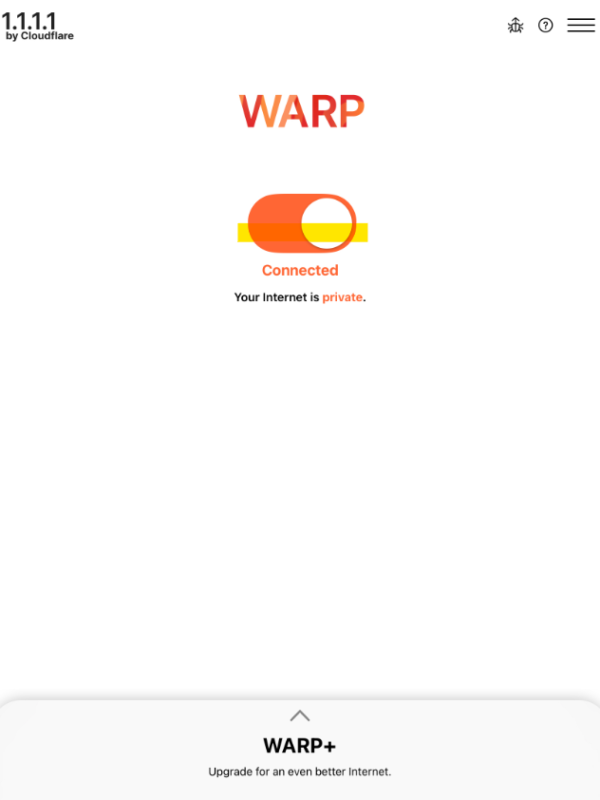
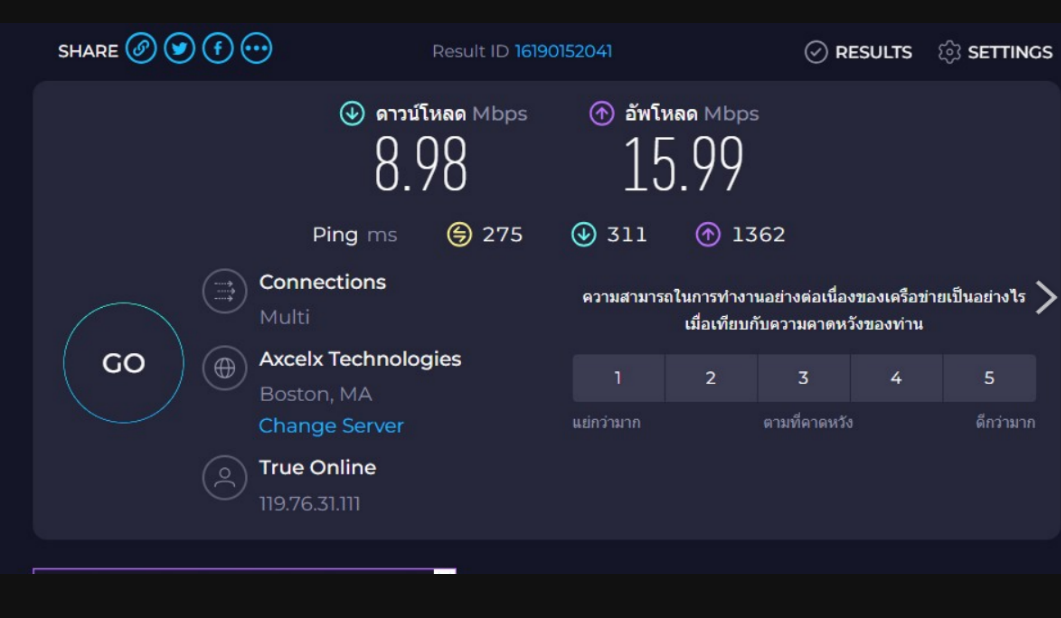
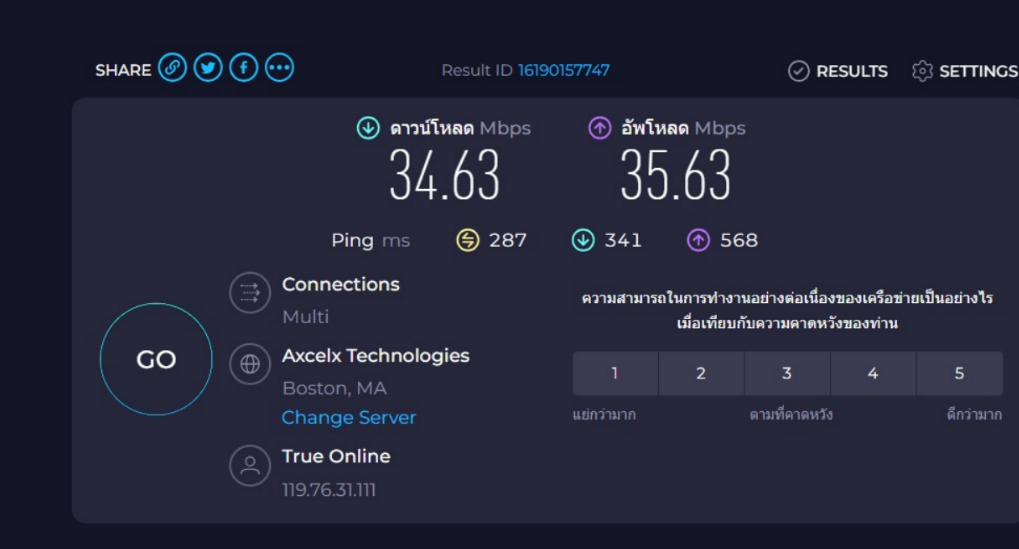
ตัวอย่างผลการทดสอบความเร็ว Internet เมื่อใช้งาน 1.1.1.1 with WARP / Here’s a sample result of internet speed test when using 1.1.1.1 with WARP:
ความเร็ว ก่อน ทำการติดตั้ง 1.1.1.1 with WARP / Speed before installing 1.1.1.1 with WARP
ความเร็ว หลัง ทำการติดตั้ง 1.1.1.1 with WARP / Speed after installing 1.1.1.1 with WARP
ไม่อยากพลาด ความรู้ใหม่ๆ กดติดตามเลย!
ต้องการปรึกษา สอบถามเพิ่มเติม ติดต่อเราเลย
โทร 02-114-7246